Skip to content

Case study · AI automation

Client portal

Our own portal where clients see their projects, tasks, messages, documents, invoices and website traffic in one place. An AI assistant connected to the portal drafts replies, tracks deadlines and sums up the business in seconds.

Client
Studio New Era
Industry
Studio New Era in-house product
Scope
WordPress, 13 modules, AI assistant (MCP), Stripe, GA4
Access
For Studio New Era clients
Client portal dashboard with projects, missions and recent activity
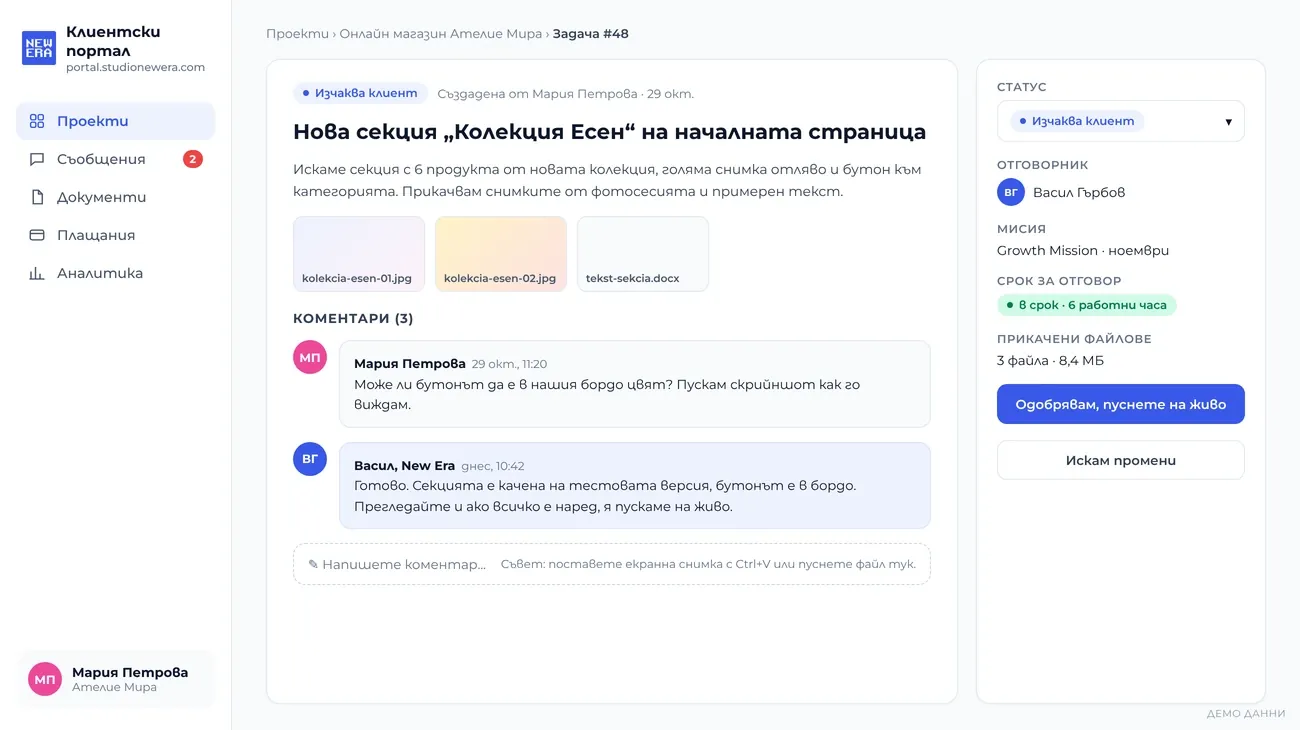
Task with comments, attachments and client approval
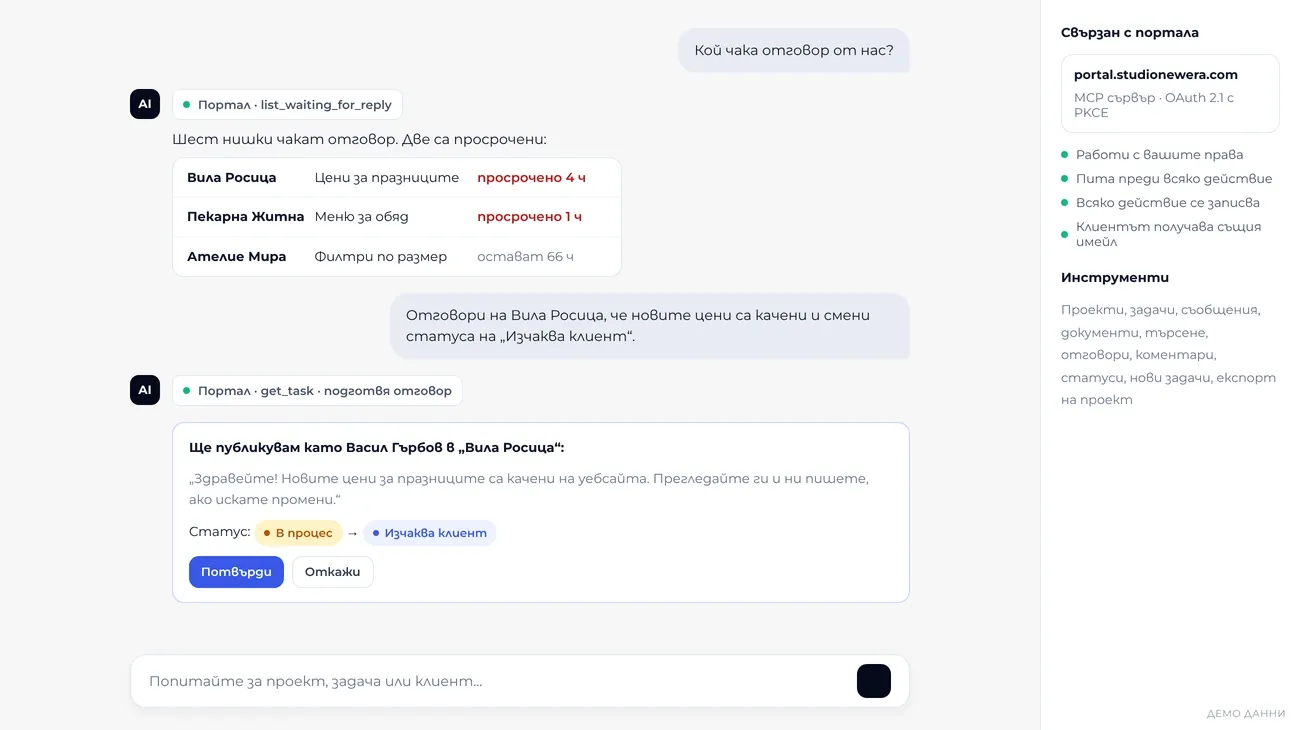
An AI assistant connected to the portal drafts a reply to a client
13modules we built
14business tools for the AI assistant
2languages per user: BG and EN
0API keys or card details in AI answers

Product facts. Screens show demo data.

The brief

What we had to solve.

  • Emails, chats and files scattered across ten places
  • Nobody sees which client is waiting for a reply, and for how long
  • Reports, invoices and traffic collected by hand every month

What we built

The solution, step by step.

Everything about the project in one place

Clients log in and see their projects, open tasks, the month’s missions and the latest activity. No more “where are we with this?” emails.

  • Dashboard
  • Missions
Client portal dashboard with projects, missions and recent activity

Tasks, comments and approval

Every request is a task with a status: to do, in progress, waiting for client, done. Clients paste a screenshot with Ctrl+V, comment and approve with one button, and every change emails the right person.

  • Tasks
  • Email notifications
Task with comments, attachments and client approval

Website traffic inside the portal

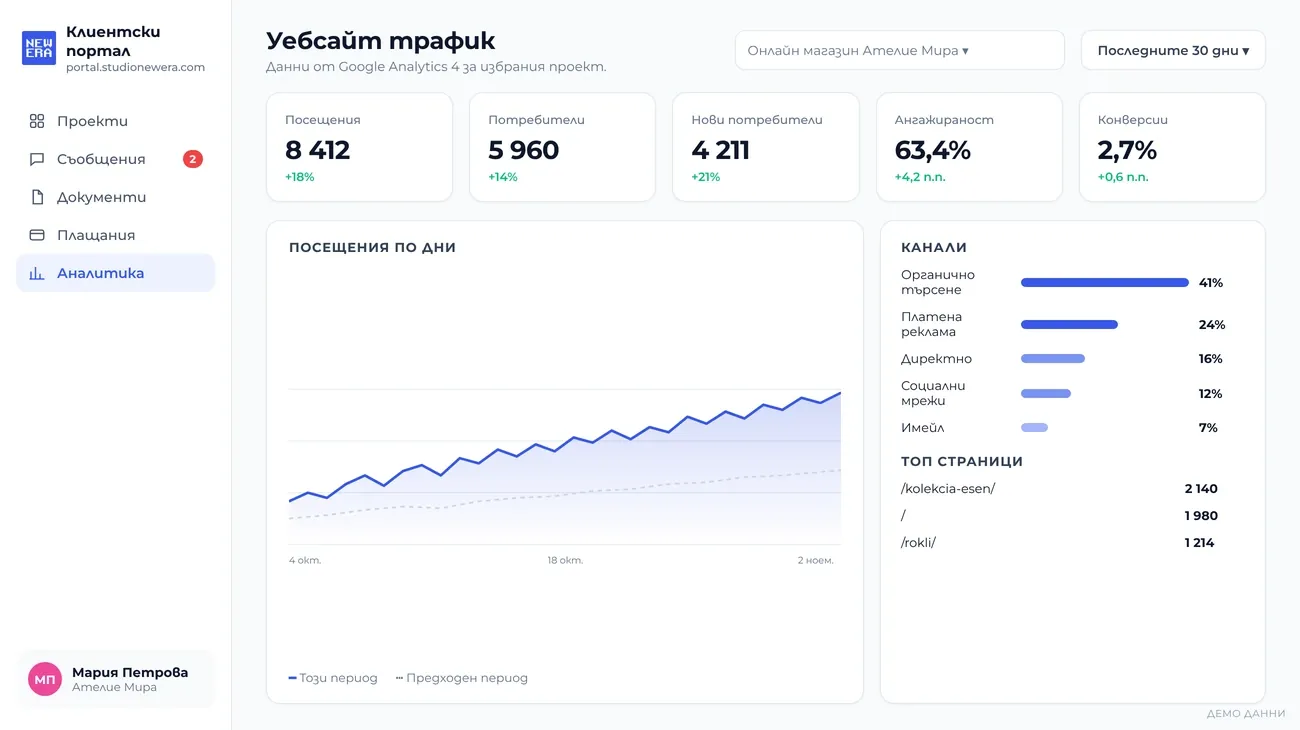
Sessions, users, engagement and conversions for every project, pulled straight from Google Analytics 4. Clients see the result of our work, not just a list of tasks.
  • GA4
  • Reports
The client website traffic from Google Analytics 4 inside the portal

Payments and protected documents

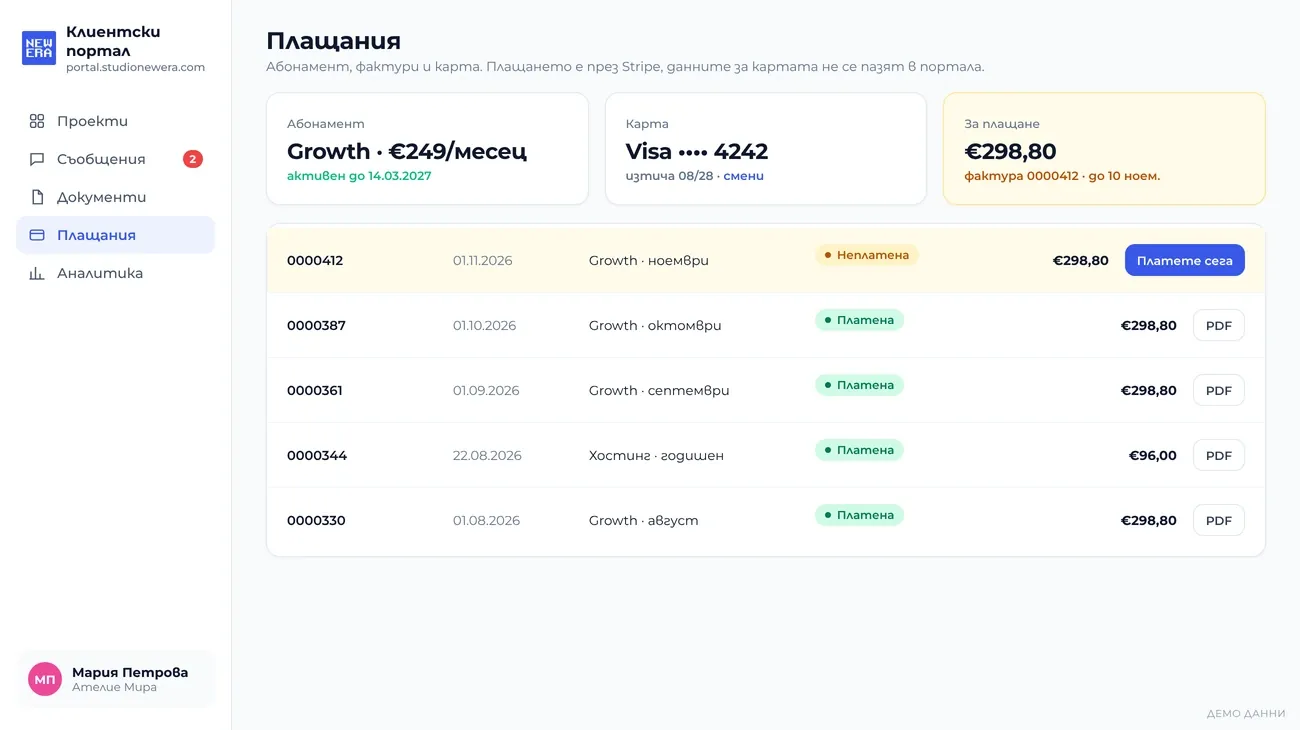
The subscription and the paid and unpaid invoices come straight from Stripe, and the card can be changed in a minute. Contracts, reports and files open only for people with access to the project.
  • Stripe
  • Security
Subscription, invoices and card payment in the portal

Response deadlines in business hours

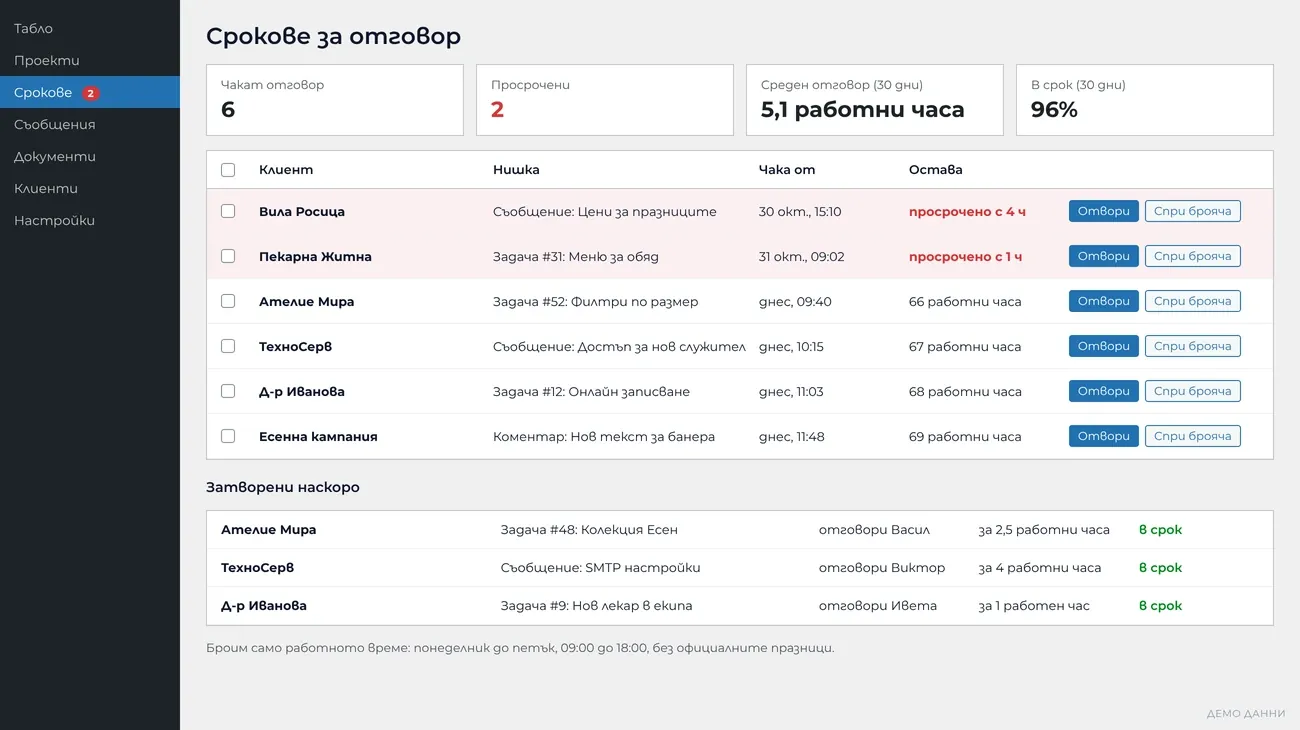
The dashboard shows every thread where a client is waiting for a reply, counted in working hours only and without public holidays. Overdue threads are red, and below you see who answered and how fast.
  • Support
  • Deadlines
Response deadlines dashboard counted in business hours

An AI assistant that works in the portal

We connected the portal to ChatGPT and Claude through a secure MCP server. Ask “Who is waiting for a reply?” and you get a list. Dictate a reply and the assistant posts it as you once you confirm. Every action is logged.

  • AI
  • MCP
  • OAuth 2.1
An AI assistant connected to the portal drafts a reply to a client

The business, summed up in seconds

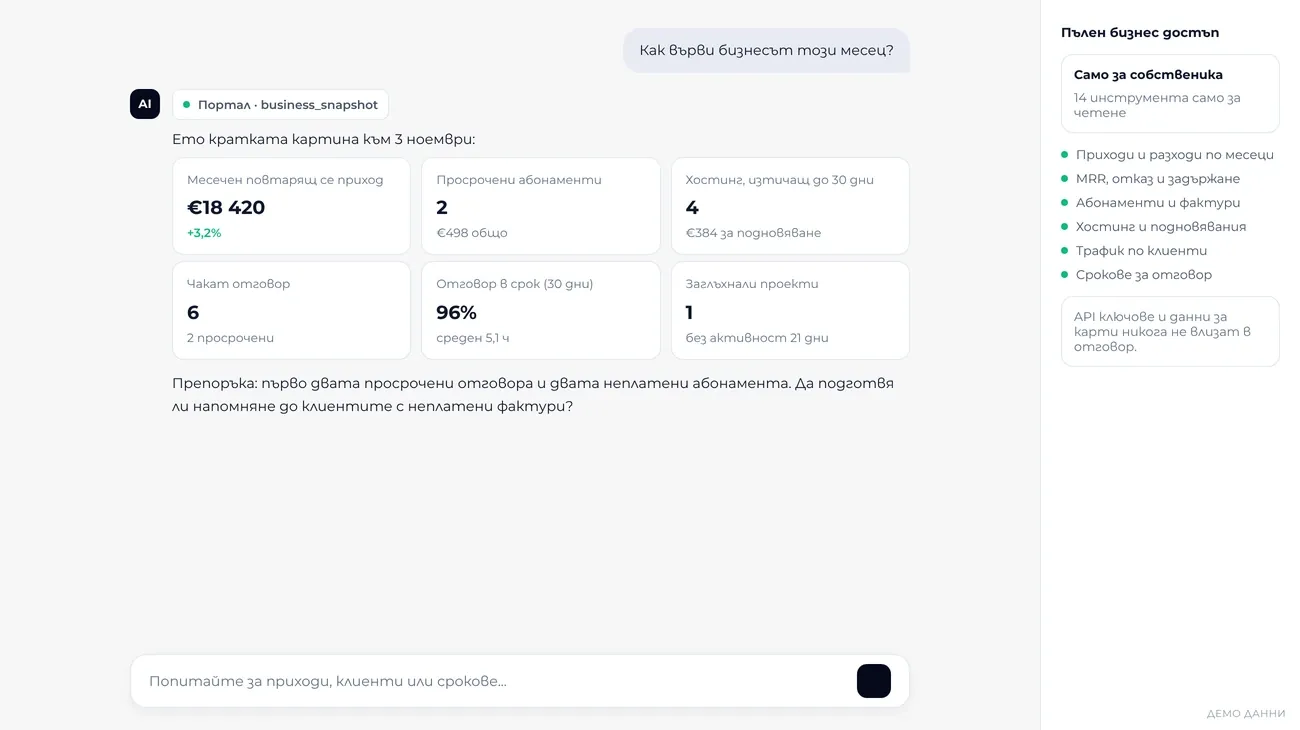
For the owner the assistant has 14 read-only tools: income and expenses, recurring revenue and churn, subscriptions, hosting, traffic and deadlines. “How is the month going?” takes seconds, not an afternoon in spreadsheets.
  • Business analysis
  • Read-only
The AI assistant shows the business snapshot: revenue, subscriptions and deadlines

What the project included

Web Core

  • WordPress portal with 13 modules
  • Secure login with lockout after failed attempts
  • BG and EN for every user
  • Protection from plugin errors

Automation

  • Tasks, comments and messages
  • Email notifications and client newsletters
  • Website briefs straight into the portal
  • No emails to invalid addresses

AI Intelligence

  • MCP server for ChatGPT and Claude
  • OAuth 2.1 with PKCE and an action log
  • Project export for AI analysis
  • GA4 traffic for every client

Your project is next

Want a result like this? Let's talk.

Free consultation. We tell you honestly what makes sense for your business.